
Boost Website Security with Website Virus Scanning
Keeping your website safe is no longer optional. Cyber threats are everywhere, and they can strike at any time. But guess what? You can fight back! One of the best ways to protect your online presence is by using website virus scanning. It’s like having a digital bodyguard watching your site 24/7. Ready to learn how to boost your website security? Let’s dive in!
Why Website Virus Scanning is a Game-Changer
You might wonder, why is website virus scanning so important? Well, websites are prime targets for hackers and malware. If your site gets infected, it can lead to data breaches, loss of customer trust, and even penalties from search engines. That’s a nightmare no business wants to face.
Website virus scanning helps you detect malicious code, suspicious files, and vulnerabilities before they cause damage. It’s proactive protection that keeps your site clean and your visitors safe. Plus, it helps maintain your site’s performance and reputation. Imagine the peace of mind knowing your website is constantly monitored for threats!
Here’s what website virus scanning does for you:
Detects malware and viruses early
Identifies suspicious activity or files
Prevents data theft and hacking attempts
Keeps your website running smoothly
Protects your brand reputation
How Website Virus Scanning Works
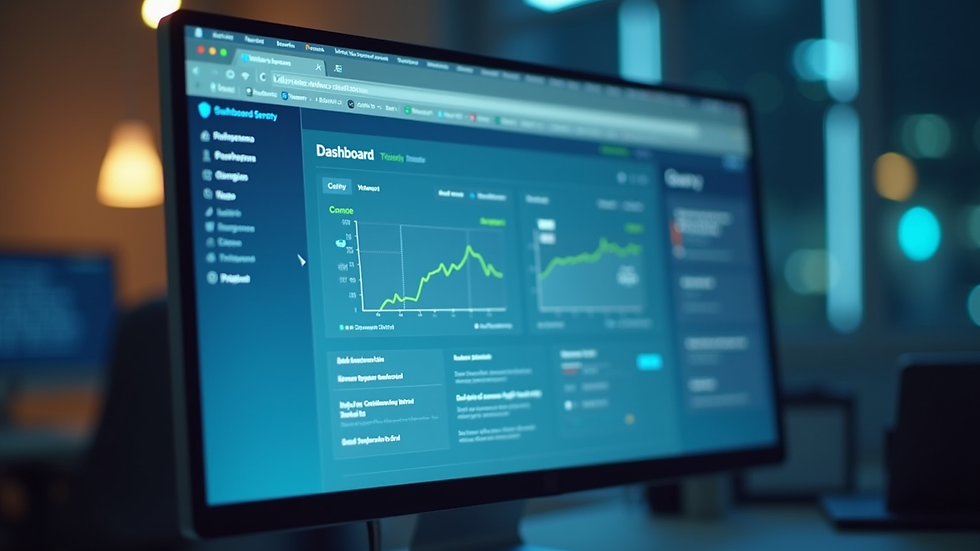
Curious about how website virus scanning actually works? It’s simpler than you think! The process involves scanning your website’s files, databases, and scripts for any signs of malicious code or vulnerabilities. The scanner compares your site’s content against a database of known threats and suspicious patterns.
When a threat is detected, the scanner alerts you immediately. Some advanced scanners even offer automatic removal or quarantine of infected files. This means you can act fast and prevent further damage.
Most website virus scanners use a combination of techniques:
Signature-based detection: Matches known malware signatures
Heuristic analysis: Identifies suspicious behavior or code patterns
File integrity monitoring: Checks if files have been altered unexpectedly
Blacklist monitoring: Alerts if your site is flagged by security services
By combining these methods, website virus scanning provides comprehensive protection tailored to your site’s needs.
How do I scan for viruses?
Scanning your website for viruses is easier than you might think. You don’t need to be a tech wizard to get started. Here’s a simple step-by-step guide to help you scan your site effectively:
virus scanner - Pick a tool that fits your website platform and security needs.
Install or connect the scanner - Some scanners are plugins for CMS platforms like WordPress, while others are standalone services.
Run a full scan - Initiate a comprehensive scan of your website files, databases, and scripts.
Review the scan report - Check for any detected threats or suspicious files.
Take action - Remove or quarantine infected files, and fix vulnerabilities.
Schedule regular scans - Set up automatic scans to keep your site protected continuously.
Remember, regular scanning is key! Don’t wait for a problem to appear. Stay ahead of threats by scanning your website frequently.

Practical Tips to Enhance Website Security Beyond Scanning
While website virus scanning is essential, it’s just one part of a strong security strategy. Here are some practical tips to boost your website’s defenses even further:
Keep software updated: Regularly update your CMS, plugins, and themes to patch security holes.
Use strong passwords: Enforce complex passwords and change them periodically.
Enable HTTPS: Secure your site with SSL certificates to encrypt data.
Limit user access: Only give admin rights to trusted personnel.
Backup regularly: Maintain up-to-date backups to restore your site quickly if needed.
Monitor traffic: Watch for unusual spikes or patterns that could indicate attacks.
Implement firewalls: Use web application firewalls to block malicious traffic.
By combining these measures with website virus scanning, you create a multi-layered defense that’s tough to breach.
Why Your Business Can’t Afford to Ignore Website Security
Think about this - your website is often the first point of contact for customers. If it’s compromised, your business suffers. Lost sales, damaged reputation, and costly recovery efforts can set you back months or even years.
In regions like Namibia and the broader EMEA area, cybercrime is on the rise. Businesses that invest in advanced IT support and web solutions stand out as trustworthy and professional. That’s exactly the kind of partner AMC Enterprises aims to be for you.
Don’t wait for a cyberattack to happen. Take control now! Implement website virus scanning and other security measures to protect your digital assets. Your business deserves the best defense.
Taking the Next Step in Website Security
Ready to boost your website security with effective virus scanning? Start by researching the best tools that fit your business needs. Remember, the right virus scanner can make all the difference.
Stay proactive. Schedule regular scans. Combine scanning with other security practices. And if you need expert help, don’t hesitate to reach out to professionals who understand your market and challenges.
Your website is your digital storefront. Keep it safe, secure, and running smoothly. The future of your business depends on it!


Comments